iPhone farm software for Mac
Manage an iPhone farm on your own Mac and Devices with tame. Schedule Instagram and TikTok Posts, configure Warmup and inspect Activity.
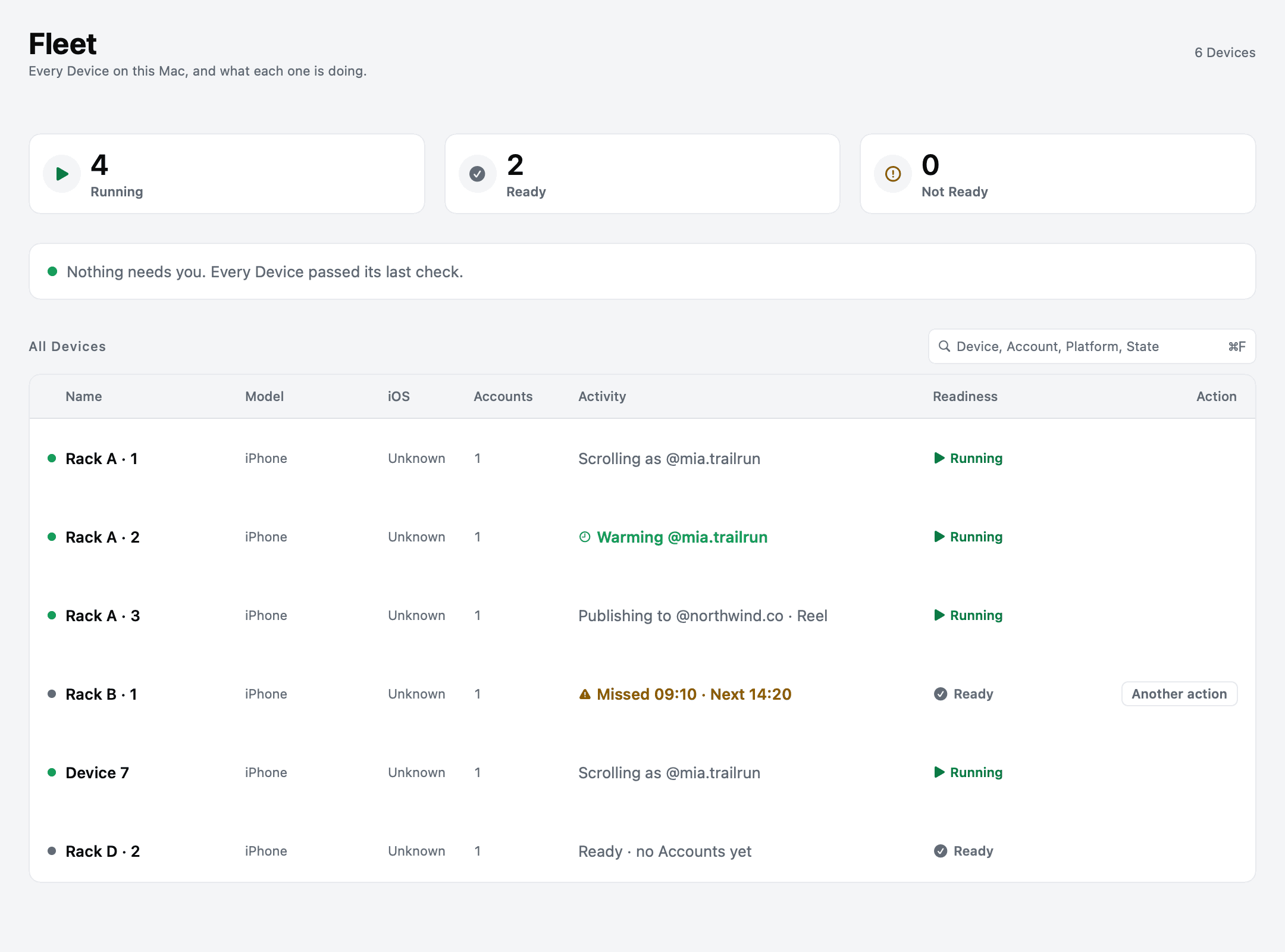
An iPhone farm is a group of physical iPhones operated together. In tame, that group is your Fleet: Devices connected to a Mac, with Accounts, scheduled work and a visible history of what happened.
tame is software for social operations on your own Mac and iPhones. Prepare content, manage Accounts, schedule work and review results in one Workspace.
What the software should handle
Connecting several Devices is the beginning. The recurring work is deciding which Account runs where, delivering the right content, knowing whether an Action completed and finding the cause when a Device stops.
- Content scheduling. Prepare content in the Content Library and schedule Posts in Posting Windows. Read the supported formats for Instagram and TikTok.
- Account Warmup. Configure daily Sessions and Warmup settings per Account. A Warmup Schedule changes activity over time; it does not promise a particular reach or Account outcome.
- Device visibility. See Device State and inspect Activity rather than treating a queued Action as proof that it succeeded.
- Remote operations. Manage schedules and Accounts in the Web App. Studio and Agency also include direct screen control, with the Mac awake and the Devices connected.
What you need to get started
Keep your Mac powered and awake, with the iPhones connected by reliable USB data cables. Use a powered hub as you add Devices.
You need an Apple silicon Mac with macOS 14 or later and dedicated iPhones with iOS 16 or later. A jailbreak is not required. Check the system requirements and iPhone setup guide before buying hardware.
Keep Account access on the Device
Sign in to the social Platform directly on the Device. tame does not ask for your Platform passwords. An authorized remote viewer can see what is on the Device screen, so assign access deliberately. Read the privacy and access guide before sharing a Device.
Choose capacity by workload
Count Devices, Accounts, Macs and stored content before comparing plans. Multiple Accounts still share each Device's available time. Posting and Warmup both consume that time, and a larger Device allowance does not make one Device perform several Sessions at once.
Start with the current plan comparison and the allowance rules. Verify the workflow on one Device before expanding your Fleet.
Common questions
Does tame supply the iPhones?
You supply and operate the physical Devices and Mac. tame is the software that coordinates the work.
Does it work with Android?
tame's Device automation is for physical iPhones connected to a Mac. Choose hardware for the operating system your workflow actually needs.
Can automation guarantee that an Account stays safe?
No. Platform rules still apply, and no automation tool can guarantee Account safety or growth. tame reports Actions and their Outcomes so you can inspect the work.